




Specifications
Design
| Range | TeSys |
|---|---|
| Product or component type | switch body |
| Warranty | 18 months |
Physical
| Mounting support |
|
|---|---|
| [ue] rated operational voltage | 690 V AC 50/60 Hz |
| [ie] rated operational current | 68.5 A AC-23 Ue: 400 V |
| Mechanical durability | 30000 cycles |
| Electrical durability |
|
| Connections - terminals |
|
| Height | 125 mm |
| Width | 90 mm |
| Depth | 90 mm |
| Net weight | 0.9 kg |
| Standards | IEC 60947-3 |
| Product certifications |
|
| Ip degree of protection | IP20 conforming to IEC 60529 |
| Ambient air temperature for operation | -20...50 °C |
| Toxic heavy metal free | Yes |
| Mercury free | Yes |
| Rohs exemption information | Yes |
| Environmental disclosure | ENVPEP2211006EN |
| Reach regulation | Reference contains Substances of Very High Concern above the threshold |
| China rohs regulation | Product out of China RoHS scope |
| Eu rohs directive | Compliant |
Documents & downloads
-
All
-
CAD Files and Packs
-
Technical Data Catalogues
-
Environmental Disclosure
-
Installation Instruction
-
Technical illustration
-
Technical Drawing
-
Certificates (MSDS)
-
Declaration of Conformity
-
Declaration of Conformity (Sustainability)


3 poles VARIO switches disconnector, switch body base 125, 175 A. - Dimensions - Technical drawing
VERSION
1.0
DATE
03 Mar 2022
REVISION
1.0
3 poles VARIO switches disconnector, switch body base 125, 175 A. - Dimensions - Technical drawing
VERSION
1.0
DATE
03 Mar 2022
REVISION
1.0
UL_Certificate_TeSys Vario
VERSION
1.0
DATE
29 Jun 2026
REVISION
1.0
CCC_TeSys Vario_2024010302630599
VERSION
1.0
DATE
25 Nov 2024
REVISION
1.0
DNV-GL Marine Certificate TeSys VARIO - V02-01-0-1-2-3-4-5-6 disconnection switch
VERSION
1.0
DATE
11 Mar 2024
REVISION
1.0
CB_Certificate_TeSys Vario V5&V6
VERSION
1.0
DATE
25 Jul 2023
REVISION
1.0
CSA Certificate_ TeSys Vario
VERSION
1.0
DATE
30 Dec 2022
REVISION
1.0
V5 EU RoHS Directive
VERSION
1.0
DATE
01 Jan 1900
REVISION
1.0
V5 EU RoHS Directive
VERSION
1.0
DATE
01 Jan 1900
REVISION
1.0
V5 EU RoHS Directive
VERSION
1.0
DATE
01 Jan 1900
REVISION
1.0
V5 EU RoHS Directive
VERSION
1.0
DATE
01 Jan 1900
REVISION
1.0
V5 EU RoHS Directive
VERSION
1.0
DATE
01 Jan 1900
REVISION
1.0
V5 EU RoHS Directive
VERSION
1.0
DATE
01 Jan 1900
REVISION
1.0
V5 EU RoHS Directive
VERSION
1.0
DATE
01 Jan 1900
REVISION
1.0
V5 EU RoHS Directive
VERSION
1.0
DATE
01 Jan 1900
REVISION
1.0
V5 REACh Regulation
VERSION
1.0
DATE
01 Jan 1900
REVISION
1.0
V5 REACh Regulation
VERSION
1.0
DATE
01 Jan 1900
REVISION
1.0
V5 REACh Regulation
VERSION
1.0
DATE
01 Jan 1900
REVISION
1.0
V5 REACh Regulation
VERSION
1.0
DATE
01 Jan 1900
REVISION
1.0
Frequently Asked Questions
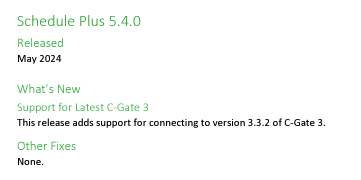
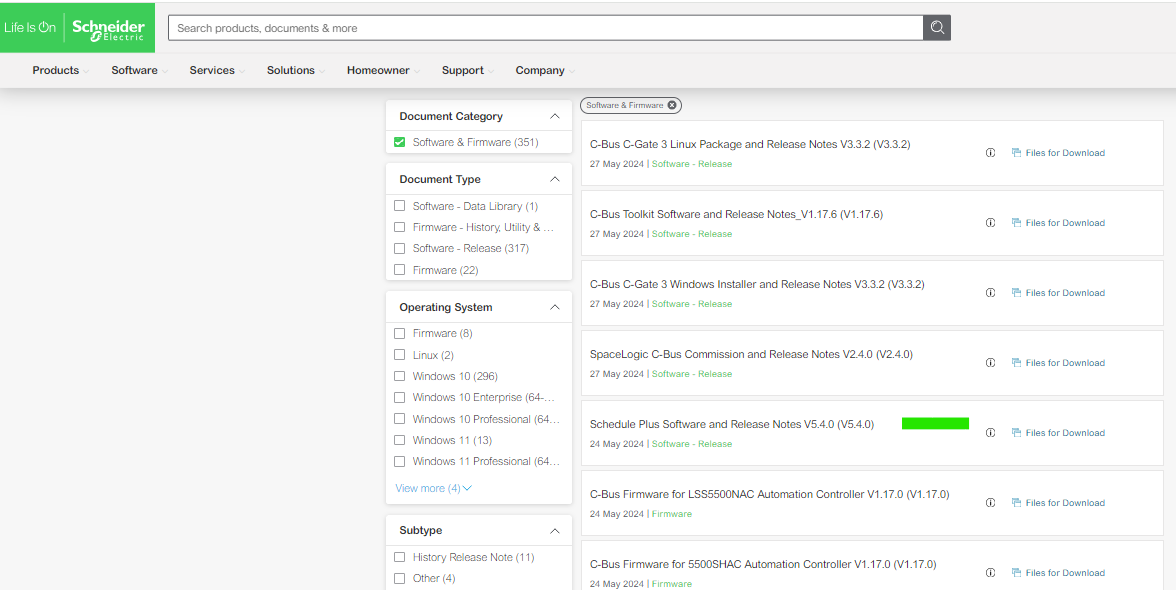
Which version of Schedule Plus is compatible with C-Gate 3?
Hide ShowSchedule plus V5.4.0 is compatible with C-Gate 3
Release note:
Download link:

What is an CFF fault on the ATV58 drives?
Hide ShowCFF fault on ATV58.
Product Line:
Altivar ATV58
Environment:
All
Cause:
Error probably caused by changing a card.
Resolution:
There are four CFF fault messages to troubleshoot.
-PWR RAT ERR-ENT: Change on the power board ratings, maybe someone changed out the power board.
-Option ERR, -ENT: Option board changed or they installed a new option board.
-Opt. Remove-ENT: Option card was removed.
-EEP CKS,-ENT: Saved configuration cannot be read. ENT button will prompt you to do a factory reset.
Other troubleshooting tips:
Check the J connections between the main control board and power board to see if they are loose or disconnected.
Reset the drive back to a factory default.
Check cooling fans to see if they are running. You might get CFF if the cooling fans are bad too. Just check them.
Reference manual VVDED397047USR8/02 page 96.
What are the hardware specifications for a PC to run Schedule Plus V5?
Hide ShowWhat are the hardware specifications for a PC to run Schedule Plus V5?
Schedule Plus V5 PC hardware specifications 08_12_2023
5000SDSPU/5
https://www.clipsal.com/search?q=C-Bus%2C+Schedule+Plus+Ver.+5&datasource=productsHow to set a Static or Fixed IP, for 5500CN2 C-Bus Network Interface
Hide Show
Assuming that it's powered up and connected to the same network where your PC is connected to.
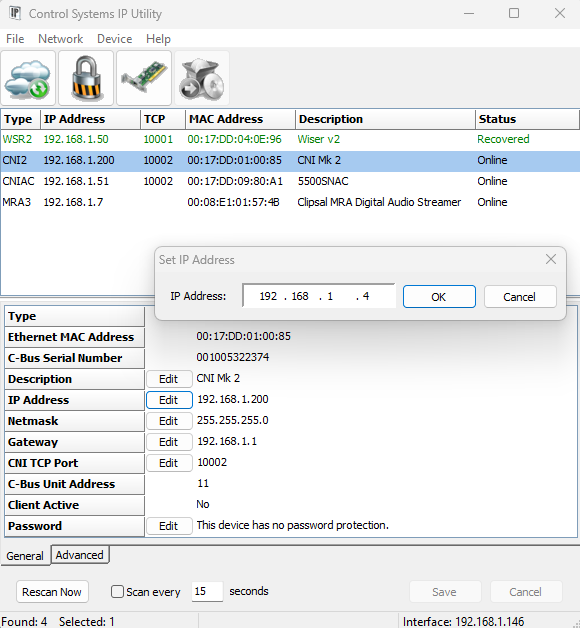
Assuming that you have installed Toolkit software where C-Bus Control System IP Utility is also installed.
- From start menu run the C-Bus Control System IP Utility
- Select the Cloud Icon to scan for C-Bus network interface
- Select the C-Bus network interface you wish to specify the static IP address for
- Select the edit button and type the desired static IP address and click ok
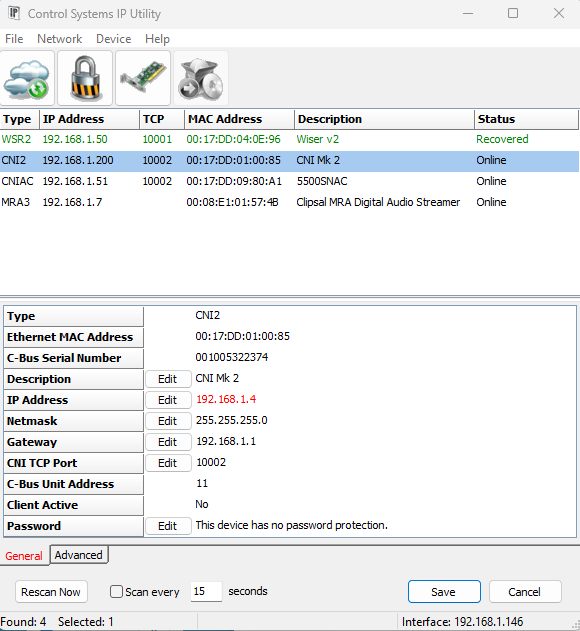
- The new IP address will be showing in red
- Hit the save button will apply the change and the C-Bus network interface will reboot and shall now have the new IP address
Video: What causes an StF fault on an Altistart 22 Soft Starter?
Hide ShowTroubleshooting StF Fault on Altistart 22
Product Line:
ATS22 Soft Starter
Environment:
All models
Cause:
The StF fault means the starter has exceeded the maximum start time setting, tLS, in the SEt menu.
Resolution:
tLS needs to be set higher than the ACC time.
For example: If ACC (ramp up time) is 10 seconds, then set the tLS max starting time to 20 seconds.
If ILt current limit is too low, the motor may not reach full speed within tLS limit.
Mechanical problems on the load may prevent the motor from reaching full speed within tLS limit.
See page 51 in the ATS22 User Manual:
The following video is a guide for troubleshooting the StF fault code, indicating a longer than expected start-up time, on the Altistart ATS22 soft starter by adjusting the tLS (maximum start time in seconds) and ACC (ramp up time) parameters under the SET menu. tLS must be set higher then the ACC time value.