
Max 4 Link Bars Strip Connector 20A, 12 Terminal, Double Entry Bakelite
Item Number: BP2
Datasheet

Specifications
Design
Product brand
Range of product
Physical
[in] rated current
Connector type
- 1 screw terminals
- 2 screw terminals
Number of poles
Mounting support
Width
Length
Ambient air temperature for operation
Reach free of svhc
Mercury free
Rohs exemption information
Environmental disclosure
Eu rohs directive
China rohs regulation
Eu rohs directive
China rohs regulation
Material
Material
Others
Legacy weee scope
Package 1 bare product quantity
Warranty duration(in months) bmecat
Weee label
Cable cross section
Minimum mounting height
Unit type of package 1
Number of units in package 1
Package 1 height
Package 1 width
Package 1 length
Package 1 weight
Sustainable packaging
China rohs label
End of life manual availability
Warranty (in months)
Documents & downloads
-
All
-
Technical Data Catalogues
-
Environmental Disclosure
-
Specification Guide
-
Declaration of Conformity (Sustainability)

Frequently Asked Questions
C-Bus download tap not displaying in the download website
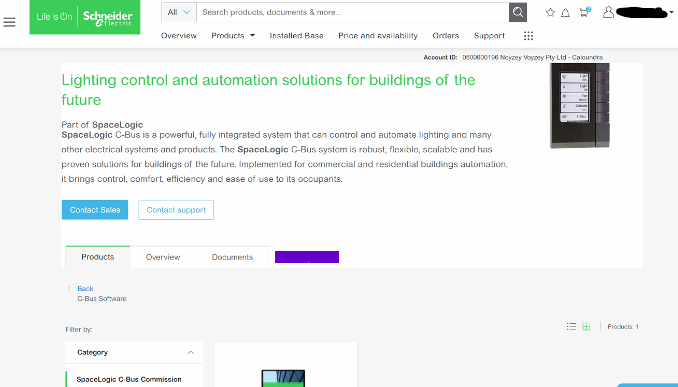
Hide ShowThe software TAB disappearing is a Browser Cache problem for SE.COM.
 >
>It is a fairly simple fix;
This is how to clear your browser cache only for SE.com, instead of clearing all your cache info for other sites.
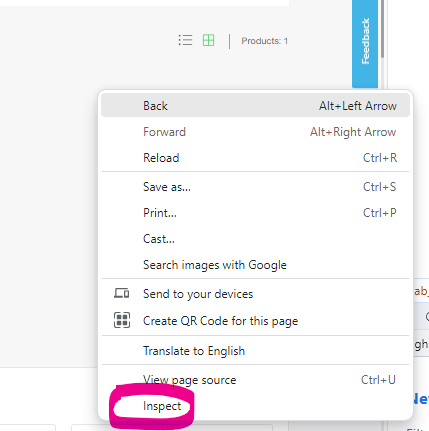
Right click> Inspect
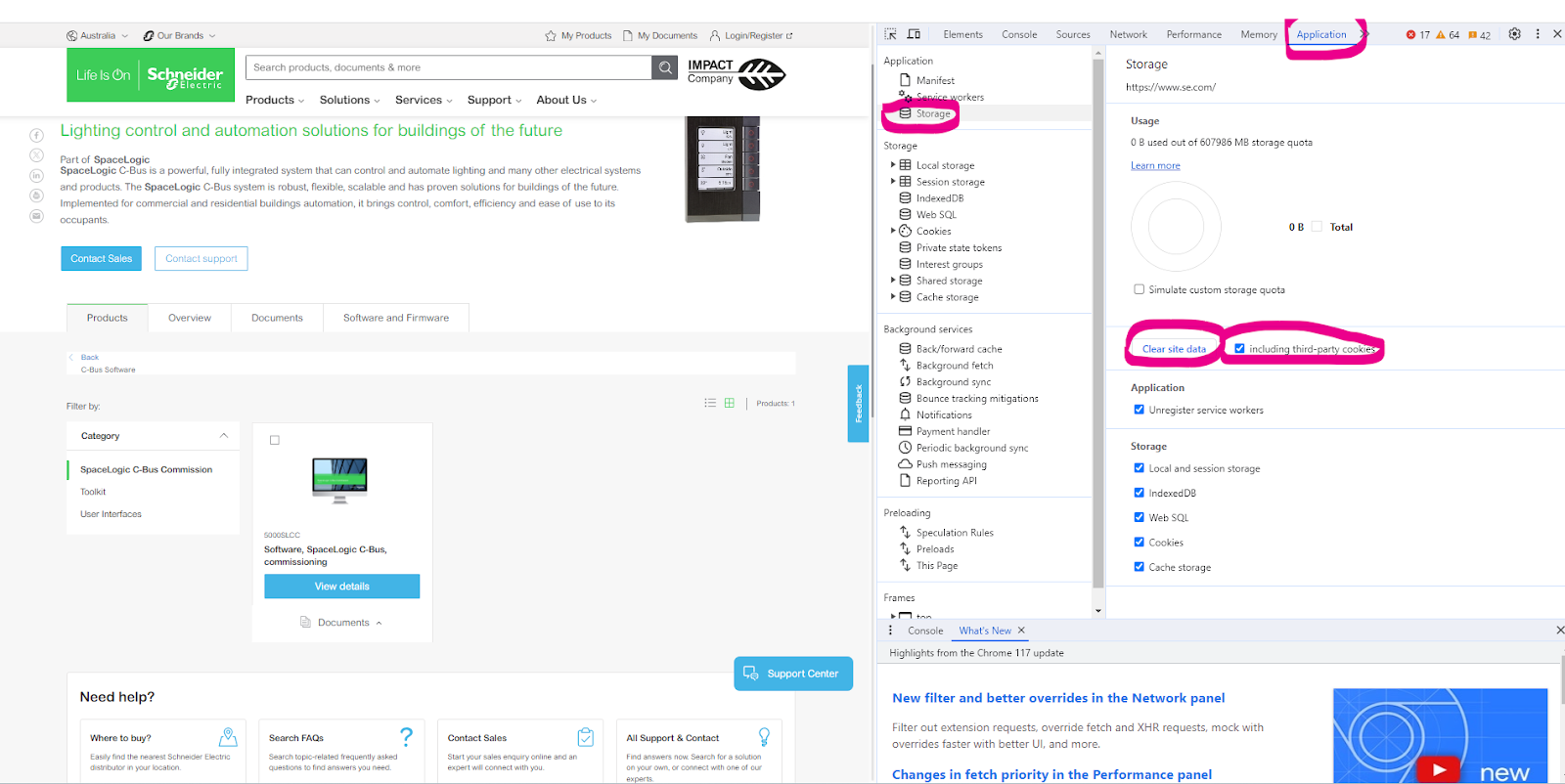
Select Application> Storage> tick including third-party cookies then hit > Clear site data
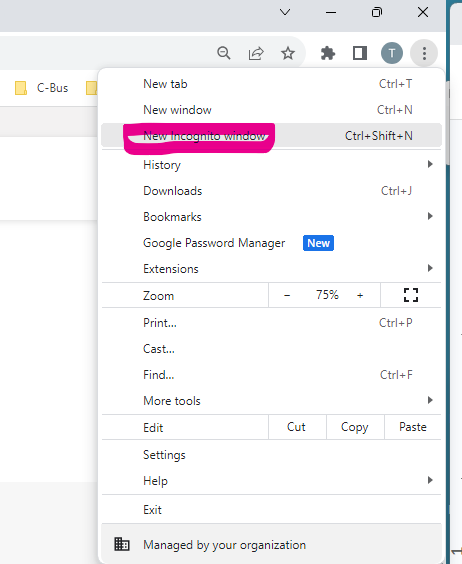
Another option is to run New Incognito window
Can C-Bus Cable 5005C305B/5005C305BST be run parallel to 240V cables?
Hide ShowFor best noise immunity, the C-Bus cable should be segregated from the mains cable in C-Bus installations. Failure to comply with all the appropriate C-Bus wiring rules may void or reduce the warranty on a C-Bus installation.
No it's not advice to run parallel to main.


Where to download software for the dali building monitor software package?
Hide Showhttps://download.schneider-electric.com/files?p_Doc_Ref=BuildingMonitor-V6.0.472
Search for DCDALCIP250-2 or DCCABKIT6 in Google

Select document & download and tick software - Release

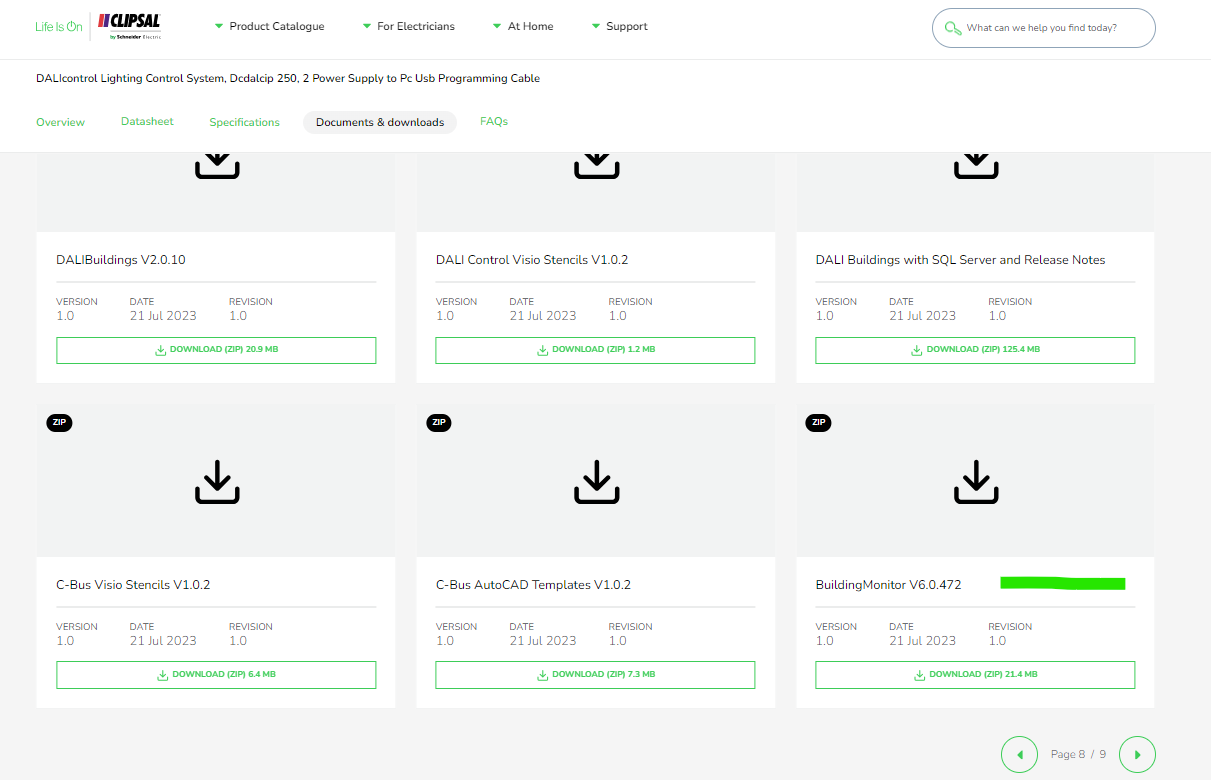
Click through the pages and look for Building Monitor V6.0.472