

Max 4 Link Bars Strip Connector 20A, 12 Terminal, Double Entry Bakelite
Item Number: BP2
Datasheet
Specifications
Design
| Product brand | Clipsal |
|---|---|
| Range of product | Blue Point |
Physical
| [in] rated current | 20 A |
|---|---|
| Connector type |
|
| Number of poles | 12 |
| Mounting support | panel |
| Width | grid pattern: 17 mm |
| Length | 122 mm |
| Ambient air temperature for operation | 190 °C |
| Reach free of svhc | Yes |
| Mercury free | Yes |
| Rohs exemption information | Yes |
| Environmental disclosure | ENVPEP1210019EN |
| Eu rohs directive | Compliant By Exemption |
Material
| Material | bakelite: insulation |
|---|
Documents & downloads
-
All
-
Technical Data Catalogues
-
Environmental Disclosure
-
Specification Guide
-
Declaration of Conformity (Sustainability)

Frequently Asked Questions
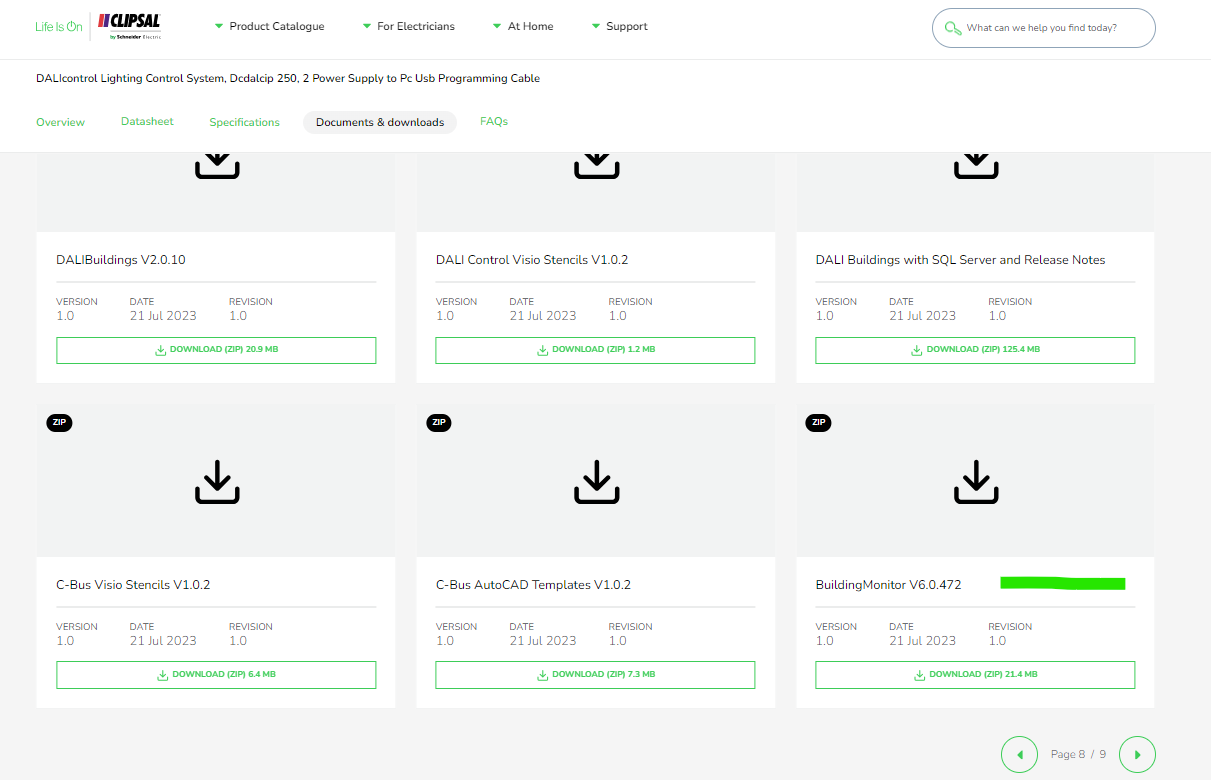
Where to download software for the dali building monitor software package?
Hide Showhttps://download.schneider-electric.com/files?p_Doc_Ref=BuildingMonitor-V6.0.472
Search for DCDALCIP250-2 or DCCABKIT6 in Google

Select document & download and tick software - Release

Click through the pages and look for Building Monitor V6.0.472
C-Bus download tap not displaying in the download website
Hide ShowThe software TAB disappearing is a Browser Cache problem for SE.COM.
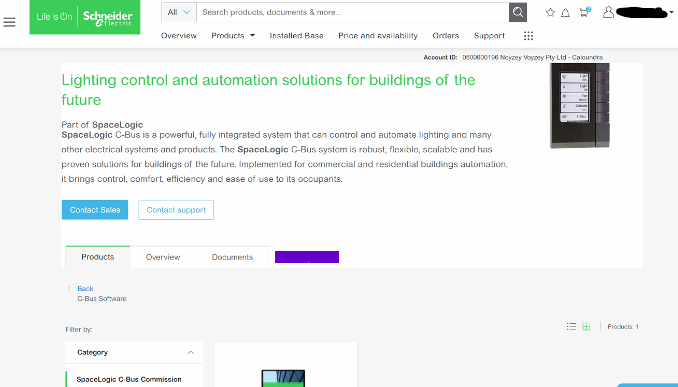 >
>It is a fairly simple fix;
This is how to clear your browser cache only for SE.com, instead of clearing all your cache info for other sites.
Right click> Inspect
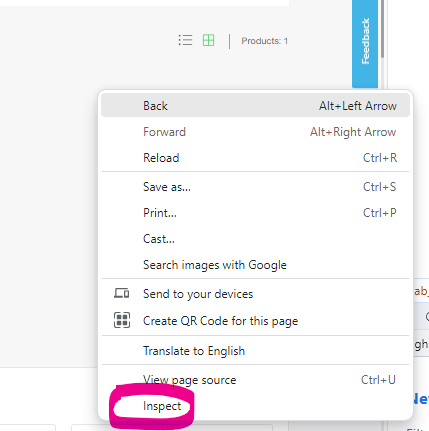
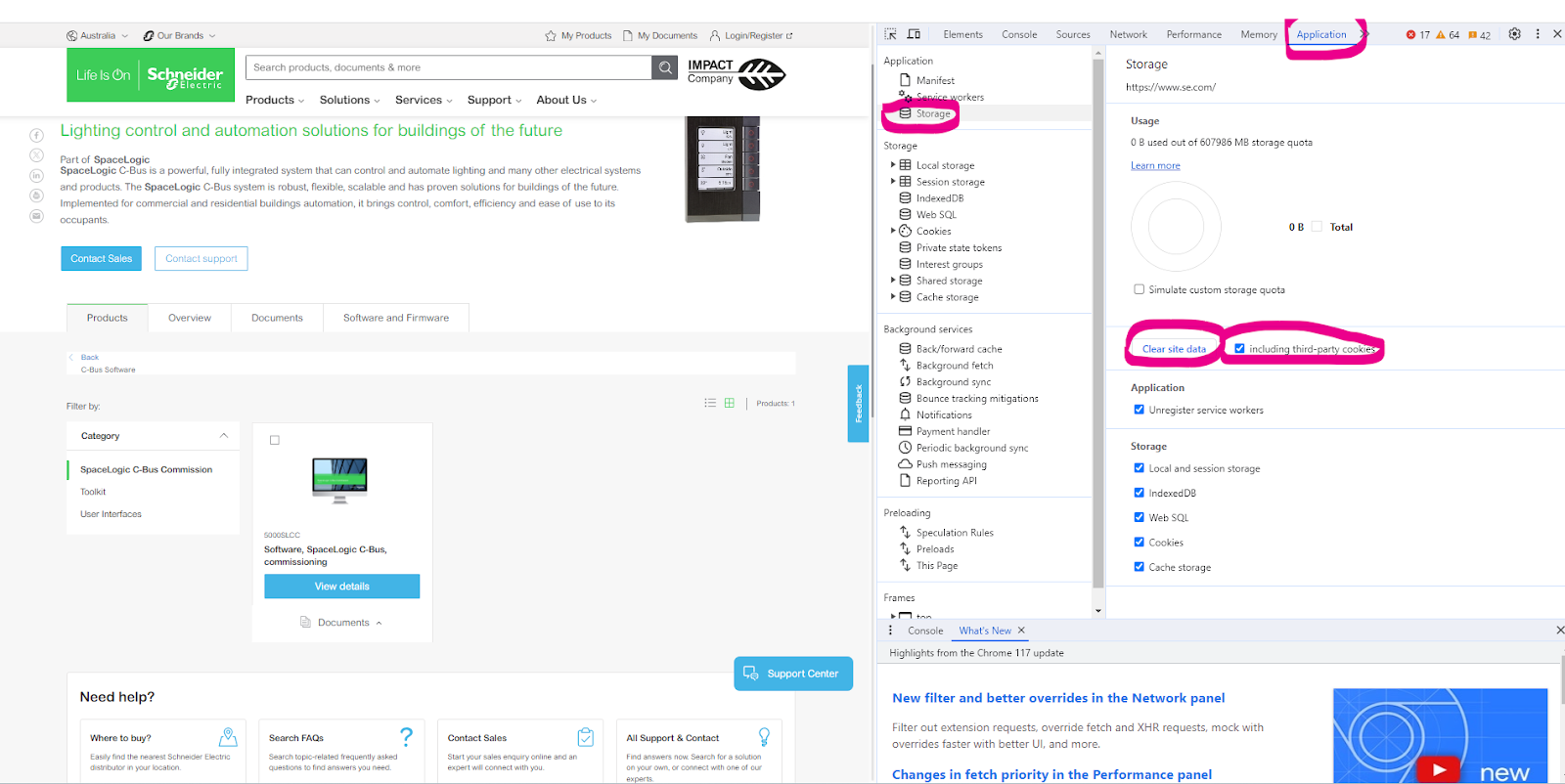
Select Application> Storage> tick including third-party cookies then hit > Clear site data
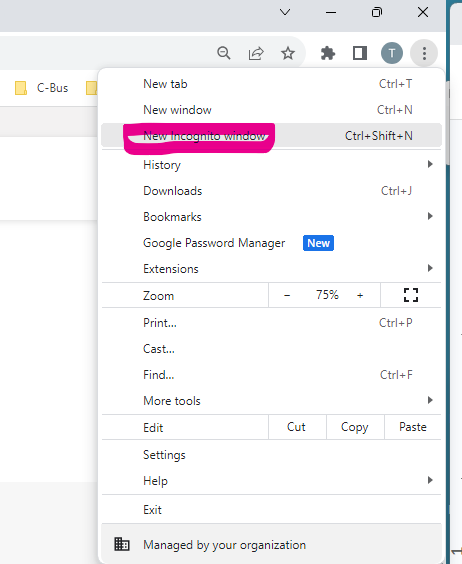
Another option is to run New Incognito window
Can C-Bus Cable 5005C305B/5005C305BST be run parallel to 240V cables?
Hide ShowFor best noise immunity, the C-Bus cable should be segregated from the mains cable in C-Bus installations. Failure to comply with all the appropriate C-Bus wiring rules may void or reduce the warranty on a C-Bus installation.
No it's not advice to run parallel to main.


