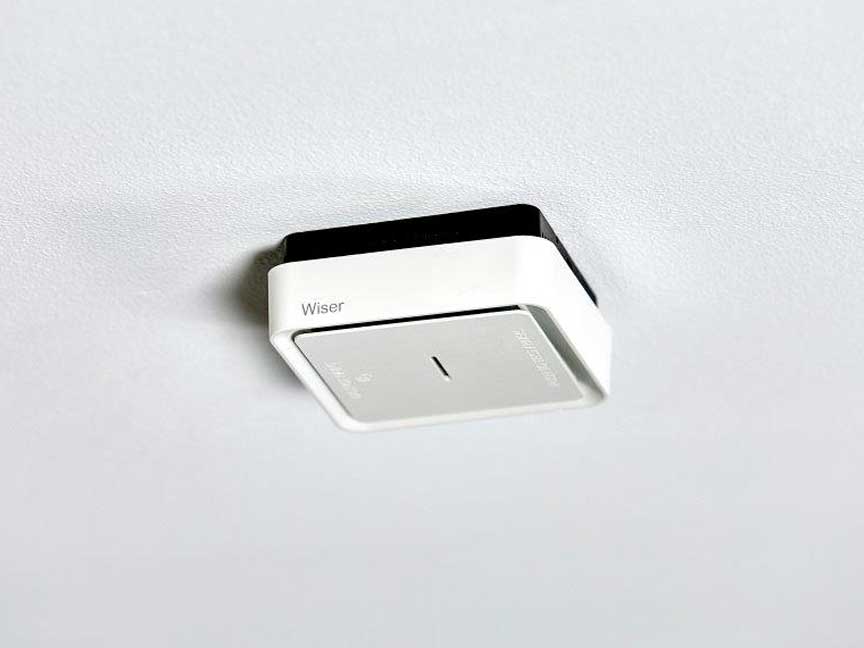
Datasheet

Close
Specifications
Design
| Range | Clipsal |
|---|---|
| Product brand | Clipsal |
Physical
| Environmental disclosure | ENVPEP1907002EN |
|---|
Documents & downloads
Filter items
-
All
-
Other technical guide
-
Installation Instruction
-
End of Life Manual
-
Environmental Disclosure
ZIP
755RFB Mounting Base Instructions
VERSION
1.0
DATE
29 Feb 2024
REVISION
1.0
DOWNLOAD (ZIP) 802.2 KB
ZIP
Smoke Alarms - General Information
VERSION
1.0
DATE
29 Sept 2023
REVISION
1.0
DOWNLOAD (ZIP) 325.8 KB
ZIP
Installation Instructions - F2810/01 - Smoke Alarms—General Information
VERSION
1.0
DATE
29 Sept 2023
REVISION
1.0
DOWNLOAD (ZIP) 240.2 KB
Frequently Asked Questions
VIDEO - How to Interconnect 2 755RFB2 Smoke Alarm Bases & a 755PSMA4 Smoke Alarm?
Hide Show
This video demonstrates the pairing techniques used to interconnect two wireless base smoke alarms.
►Learn More: https://www.clipsal.com
►Learn More: https://www.clipsal.com
How do I delete the pairing on a 755RFB2 Smoke Alarm Mounting Base with Wireless Interconnect ?
Hide Show
Follow the steps below to delete the pairing on 755RFB2,

- Make sure all bases are powered ON in normal mode.
- Press RF button 3 times in 2 seconds on the unit. RF LED will light on.
- Press and hold RF button for at least 4 seconds, RF LED will flash 5 times to confirm the success.
VIDEO - How to Test Interconnection of 755RFB2 Base with 755PSMA4 Smoke Alarm?
Hide Show
This video demonstrates the techniques used in testing the interconnect of the wireless 755RFB2 base.
►Learn More: https://www.clipsal.com
►Learn More: https://www.clipsal.com
What is the warranty period for the 755 series smoke alarms?
Hide Show
The 755 series smoke alarms have a 5 year warranty period
Can the Wiser smoke alarm interconnect with my existing alarms?
Hide Show
The Wiser Smoke alarm (CLP599WSAL) has 433MHz RF and Zigbee 3.0 tech included, meaning they are compatible with Clipsal Fire Tek® Wireless smoke alarms 755LPSMA4 and 755RFB2 bases to allow simple upgrade opportunities